Straight answer

NFC vs QR code: which do you need?

NFC lets someone reach a destination by holding a compatible phone near the product. QR lets them scan a printed code with the phone camera. For some uses, the scan is enough. A tap adds another way in when the phone can read the tag. TapSync prints a code on the NFC products it sells. Those two marks do not always store the same kind of thing.

When is QR alone enough?

A scan is enough when people can see the code, the phone camera can read it, and the code already does the job: open a page, open a social destination, open a Google review page, or start a Wi-Fi join the phone understands.

On a Digital Card, a Social card, or a Google Review product, the printed QR stores the same TapSync web address as the chip. Someone who only scans still reaches that destination. On Smart Wi-Fi, an iPhone joins by scanning the guest QR. The tap does not connect that phone.

TapSync does not sell a separate QR-only card or stand. The catalogue products include a chip and a printed code. The guest can still use only the scan. iPhone compatibility.

Tap and scan, compared.

How it works

NFC. Hold a compatible phone near the product.

QR. Point a camera at the printed code.

What they need

NFC. A phone that can read this kind of tag, in a state where that reading works.

QR. A camera, or another scanner, that can read the code.

What they do

NFC. Hold the phone near the product, then follow the notice or prompt the phone shows.

QR. Open the camera, scan, then follow the action on the screen.

Where it helps

NFC. When the phone can read the tag without opening the camera.

QR. When the code is easy to see, or the tap path is not available.

Phone limits

NFC. Reading and the on-screen result vary by model and by what the phone is doing.

QR. Camera and QR support vary too. The phone still has to understand what the code contains.

What is stored

NFC. A TapSync web address on a link product. The Wi-Fi record on Smart Wi-Fi.

QR. The same web address on a link product. On Smart Wi-Fi, the guest code is the Wi-Fi record. The back code is the owner’s sign-in link.

Changing it later

NFC. A link address can keep pointing at a new destination. A Wi-Fi record stays until the face is re-encoded.

QR. The same rule. A link code follows the new destination. A guest Wi-Fi code does not, until the face is re-encoded.

A typical use

NFC. Opening a page, a social destination, or a review page. On a compatible Android phone, a Wi-Fi join.

QR. The same page when a tap is not the path. On iPhone, the guest Wi-Fi join.

The same task, two ways.

Tap

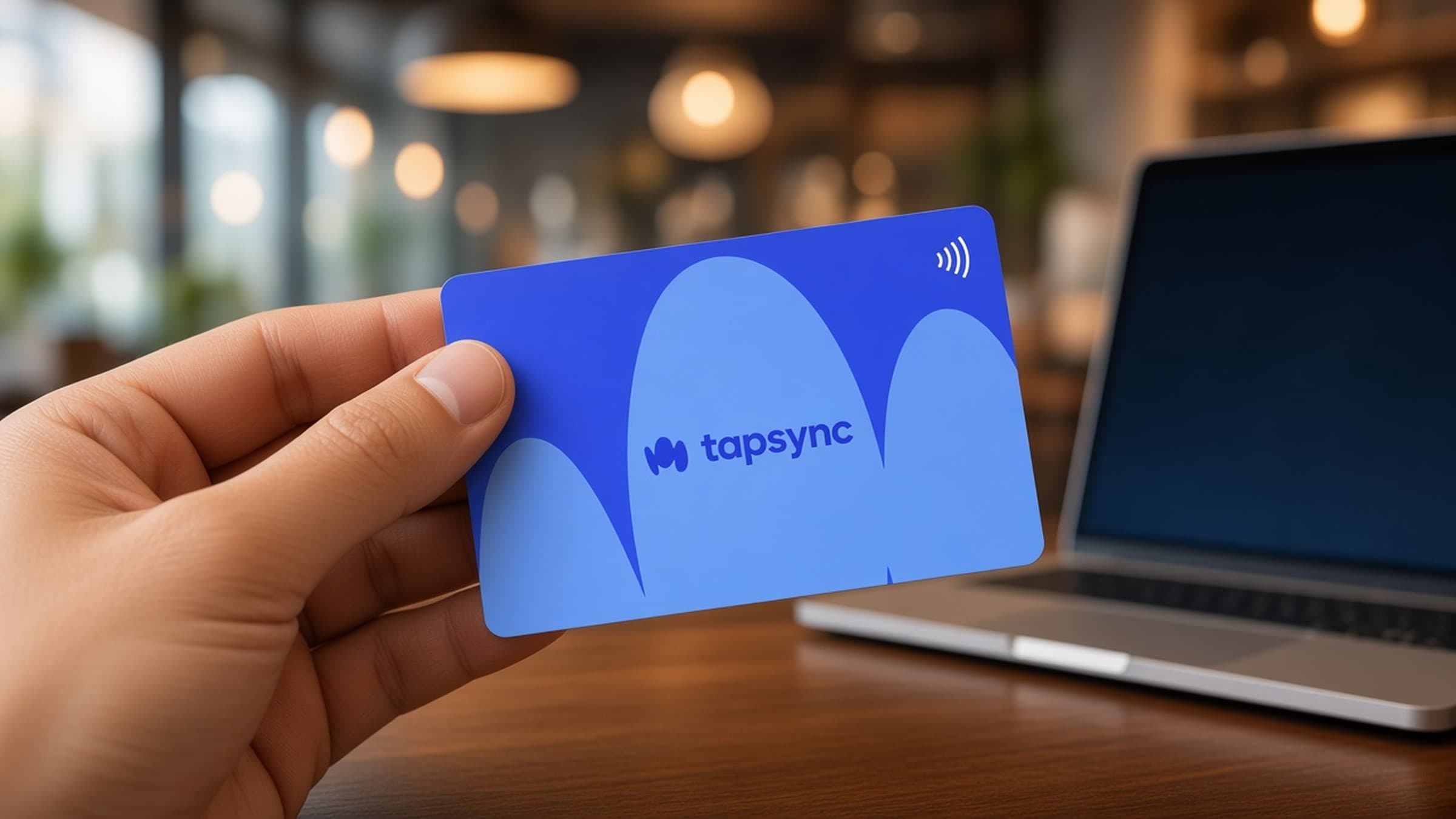
A hand holding a TAPSYNC digital card
A TapSync card. Hold the phone near it. This is not a screenshot of a phone.
  1. 01Hold a compatible phone near the product. The top is a useful start on many iPhones. Models differ.
  2. 02The phone may show a notification or a prompt. It does not always open the page by itself.
  3. 03The person follows that prompt. On a link product, that opens the configured destination.

Scan

  1. 01Open the phone camera, or a QR scanner the phone already has.
  2. 02Point it at the code printed on the product.
  3. 03Follow the link or the action the phone shows.

On a link product, both paths open the same TapSync address. The person does not install a TapSync app. A social destination may still open that service’s own app. A web page needs a connection. How a tap works.

Can you change the destination later?

Digital Cards, Social Media Cards, and Google Review store a TapSync web address on the chip and on the printed QR. Log in and change the page or the link. The next tap, and the next scan, use the new destination. The object stays. That change does not need a new print.

Smart Wi-Fi is fixed data, not that kind of redirect. The guest chip and the guest QR store the network name, the password, and the security type. Saving a new network updates the account. Guests keep the old join until the face is re-encoded. The code on the back is different: it is the owner’s sign-in link, not the guest join. How to change details.

What about guest Wi-Fi?

Joining a network is not the same as opening a web page. An NFC tag that only stores a web address does not connect the phone to Wi-Fi.

On Smart Wi-Fi, the guest chip and the guest QR both store the Wi-Fi record. A compatible Android phone can tap and follow its own join prompt. iPhone does not join from that tap. Those guests open the camera, scan the guest QR, and follow the prompt iPhone shows. If the network name or password changes, the old code and the old chip still carry the previous record until the face is re-encoded. Smart Wi-Fi.

Choose based on what you want people to do.

Share professional details

Digital Cards store a TapSync web address on the chip and on the printed QR. A tap or a scan can open the same page. The person does not install a TapSync app.

Explore Digital Cards

Share a social destination

Social Media Cards use that same kind of address. The destination is one social profile or a TapSync page. A scan reaches it when a tap does not.

Explore Social Media Cards

Help guests join Wi-Fi

Smart Wi-Fi stores the network on the guest chip and the guest QR. Android can tap. iPhone guests scan. Opening a web page is not the join.

Explore Smart Wi-Fi

Make a Google review easier

The tabletop sign and the stand store a TapSync web address on the chip and the printed QR. A scan is enough to reach the review page.

Explore Google Review

A short way to decide.

Use the scan
When a visible code already does the job. That includes an iPhone guest joining Wi-Fi, and anyone opening a link product when a tap is not available.
Use the tap
When the phones people carry can read the tag, and holding the phone near the product is the easier gesture. Follow whatever notice that phone shows.
Use both
When a second way in is useful. On a link product, tap and scan open the same address. On Smart Wi-Fi, the tap and the guest scan are two ways to the same network, and the back code is for the owner.